
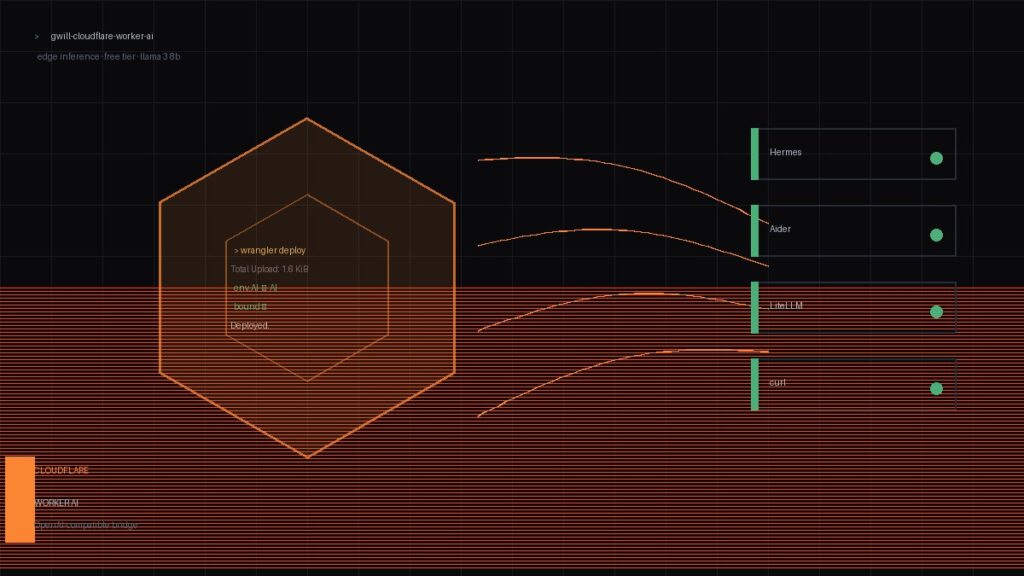
The goal: route my self-hosted AI assistant (Hermes) through Cloudflare Worker AI without writing a custom OpenAI-compatible adapter for every model. The reality: Cloudflare’s REST endpoint is not OpenAI-compatible, so the obvious config tweak just throws 10404 No route for that URI. Here’s the fix that actually works — a thin “bridge” worker that translates Hermes’ OpenAI-shaped calls into Cloudflare AI’s env.AI.run() format.
Why This Isn’t Just a Config Tweak
Cloudflare Worker AI serves models via its own SDK call inside the worker script:


const r = await env.AI.run('@cf/meta/llama-3-8b-instruct', {
prompt: 'hello'
});That’s the only supported interface for inference. Hit https://api.cloudflare.com/client/v4/accounts/<id>/ai/run/@cf/meta/llama-3-8b-instruct with an OpenAI-shaped JSON body and you get {"success":false,"errors":[{"code":10404,"message":"No route for that URI"}]}. Confirmed.
So the plan: deploy a tiny Worker that accepts Hermes’ POST /v1/chat/completions payload, flattens the messages array into a prompt, calls env.AI.run(), and returns a properly-shaped OpenAI response. Total script: ~50 lines.
Step 1 — API Token (Permissions Matter)
First attempt with a token that had account-read scope only failed with 10000 Authentication error on wrangler deploy. The token needs two scopes:
Account → Workers Scripts → Edit— to deploy the worker.Account → Cloudflare AI → Read— so the worker can actually invoke models.
My second token (cfat_...) had both. Deploy succeeded in 5.5s (3.15s upload + 2.37s trigger propagation). Your URL will look like:
https://cloudflare-ai-worker.<your-subdomain>.workers.devStep 2 — Project Layout
mkdir -p ~/cloudflare-ai-worker/src
cd ~/cloudflare-ai-worker
npm init -y
npm install @cloudflare/workers-types --save-devCatch: npm init -y defaults to "type": "commonjs". Cloudflare Workers need "type": "module" in package.json, or the deploy fails the second the worker tries to parse an export default. Edit it manually:
{
"name": "cloudflare-ai-worker",
"version": "1.0.0",
"type": "module",
"main": "src/index.js",
"devDependencies": {
"@cloudflare/workers-types": "^4.20240503.0"
}
}Step 3 — wrangler.toml
name = "cloudflare-ai-worker"
main = "src/index.js"
compatibility_date = "2024-05-01"
[ai]
binding = "AI"
account_id = "<your-cloudflare-account-id>"The [ai] binding is what gives the worker access to env.AI. Without it, your runtime will throw AI binding not found on the first request.
Step 4 — The Bridge Worker
export default {
async fetch(request, env) {
const url = new URL(request.url);
// Only handle chat completions
if (url.pathname !== '/v1/chat/completions') {
return new Response(JSON.stringify({ error: 'Not Found' }), {
status: 404,
headers: { 'Content-Type': 'application/json' }
});
}
try {
const body = await request.json();
const messages = body.messages || [];
// Flatten OpenAI message array into a single CF-AI prompt
const prompt = messages
.map(m => `${m.role === 'user' ? 'User' : 'Assistant'}: ${m.content}`)
.join('\n');
const aiResponse = await env.AI.run('@cf/meta/llama-3-8b-instruct', {
prompt: prompt
});
// CF AI returns { result: string } for most text models
const content = aiResponse.result || aiResponse.response || JSON.stringify(aiResponse);
// Wrap in OpenAI-compatible response shape
const openAiResponse = {
id: `chatcmpl-${Date.now()}`,
object: 'chat.completion',
created: Math.floor(Date.now() / 1000),
model: body.model || '@cf/meta/llama-3-8b-instruct',
choices: [{
message: { role: 'assistant', content },
finish_reason: 'stop',
index: 0
}],
usage: { prompt_tokens: 0, completion_tokens: 0, total_tokens: 0 }
};
return new Response(JSON.stringify(openAiResponse), {
headers: { 'Content-Type': 'application/json' }
});
} catch (e) {
return new Response(JSON.stringify({ error: e.message }), {
status: 500,
headers: { 'Content-Type': 'application/json' }
});
}
}
};Note: token counts are reported as zero. CF AI’s run() doesn’t surface usage data for free models. If you need real accounting, swap to a streaming wrapper and parse usage from the delta chunks — but for most routing use cases, zero is fine.
Step 5 — Deploy
export CLOUDFLARE_API_TOKEN=cfat_...
wrangler deployOutput (clean run):
Total Upload: 1.60 KiB / gzip: 0.66 KiB
Your Worker has access to the following bindings:
Binding Resource
env.AI AI
Uploaded cloudflare-ai-worker (3.15 sec)
Deployed cloudflare-ai-worker triggers (2.37 sec)
https://cloudflare-ai-worker.<subdomain>.workers.devThe env.AI binding line confirms the AI runtime is wired up. If it’s missing, your wrangler.toml [ai] block isn’t being read — check the indentation.
Step 6 — Wire Hermes (or Any OpenAI Client)
Hermes uses a JSON-encoded custom_providers array in ~/.hermes/config.yaml. Append the bridge:
{
"name": "cloudflare",
"base_url": "https://cloudflare-ai-worker.<subdomain>.workers.dev",
"key_env": "CLOUDFLARE_API_TOKEN",
"models": ["@cf/meta/llama-3-8b-instruct"]
}Then export the token once:
export CLOUDFLARE_API_TOKEN=cfat_...
# For persistence across sessions:
echo 'export CLOUDFLARE_API_TOKEN=cfat_...' >> ~/.bashrc && source ~/.bashrcPoint model.default + model.provider at the new entry and you’re routed through Cloudflare’s edge.
Step 7 — Clean Rollback
Worth documenting because you’ll definitely do this at least once. To fully revert:
rm -rf ~/cloudflare-ai-worker
# Then edit config.yaml:
# model.default → previous model
# model.provider → previous provider
# custom_providers → drop the "cloudflare" entry
wrangler delete cloudflare-ai-worker # tears down the deployed workerThe wrangler delete is optional — the worker stays in your dashboard but does nothing once the client config stops pointing at it. If you’re churning through provider experiments, run it to keep the dashboard clean.
What You Get
- Free inference on Llama 3 8B (and 50+ others — swap the
@cf/meta/llama-3-8b-instructstring in the worker for any model in Cloudflare’s catalog). - Sub-100ms TTFB in most regions — the model runs on Cloudflare’s edge network, not a US-East data center.
- Zero infrastructure to maintain. The worker is 1.6KB gzipped. It can’t fall over because there’s no container, no DB, no disk.
- OpenAI-compatible surface, so any client that speaks the standard works: Hermes, Aider, LiteLLM, raw
curl, whatever.
What You Don’t Get
- Streaming. This is the synchronous
run()path. Thestream: trueflag in the OpenAI body is ignored. For real token streaming you need aTransformStreamwrapper that pipesenv.AI.run(...)withstream: trueand re-shapes each chunk. - Token usage. Reported as zero. Fine for routing; broken for cost tracking.
- Function/tool calling. Cloudflare’s text models don’t support it yet. The worker would need to translate the
toolsarray into system-prompt JSON schemas if you need it. - Persistent history. Every call is stateless. Add
KVorD1binding if you want conversation memory.
Verdict
For routing free local-assistant traffic through edge inference, this is the lightest setup you’ll find. The bridge worker is small enough to audit in a single sitting, and the entire stack costs nothing to run at hobby scale. Not a replacement for a serious LLM backend — but for “give me a quick second opinion on a config snippet” tier requests, it’s perfect.
Total time-to-first-token: about 10 minutes including token creation.







47 Comments